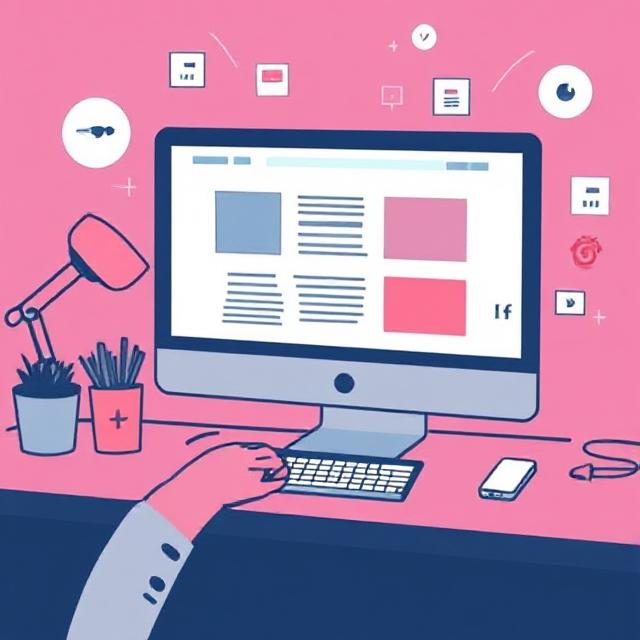
Common Web Design Mistakes and How to Avoid Them
Here are common web design mistakes and tips on how to avoid them, ensuring your website is both user-friendly and effective:
🔴 1. Poor Navigation
Mistake: Confusing, hidden, or cluttered navigation makes it hard for users to find what they’re looking for.
How to Avoid:
Use clear, intuitive menus.
Keep navigation consistent across pages.
Limit top-level menu items (ideally 5–7).
Include a search bar for larger websites.
🔴 2. Slow Load Times
Mistake: Heavy images, scripts, or poor hosting slows down your site.
How to Avoid:
Optimize image sizes (use WebP or compressed formats).
Minimize use of plugins and scripts.
Use caching and a Content Delivery Network (CDN).
Choose a reliable hosting provider.
🔴 3. Not Mobile-Friendly
Mistake: A site that doesn’t adapt to mobile devices alienates a large portion of users.
How to Avoid:
Use responsive design frameworks (like Bootstrap or Tailwind CSS).
Test your site on multiple screen sizes.
Prioritize touch-friendly elements (buttons, menus).
🔴 4. Cluttered or Overwhelming Design
Mistake: Too many elements competing for attention can overwhelm users.
How to Avoid:
Embrace white space to create balance.
Follow a visual hierarchy (use size, color, and placement to guide the eye).
Stick to 2–3 font styles and a limited color palette.
🔴 5. Lack of Clear Call-to-Action (CTA)
Mistake: Users don’t know what to do next (e.g., sign up, contact, buy).
How to Avoid:
Use bold, visible buttons for CTAs.
Write clear, action-oriented text (e.g., “Get Started”, “Download Free Guide”).
Place CTAs in logical spots (end of a section, header, etc.).
🔴 6. Poor Readability
Mistake: Tiny fonts, bad color contrast, or dense blocks of text.
How to Avoid:
Use legible font sizes (16px+ for body text).
Ensure strong contrast between text and background.
Break up content with headings, bullet points, and images.
🔴 7. Auto-Playing Media
Mistake: Videos or audio that play automatically can frustrate users.
How to Avoid:
Set media to play only on user action.
Always include play/pause controls.
Keep autoplay muted if absolutely necessary.
🔴 8. Broken Links and Outdated Content
Mistake: Dead links or old content reduce credibility and user trust.
How to Avoid:
Regularly audit and update your content.
Use tools like Broken Link Checker.
Show content freshness with dates where relevant.
🔴 9. Ignoring Accessibility
Mistake: Designs that are not usable for people with disabilities.
How to Avoid:
Use alt text for images.
Ensure keyboard navigation is functional.
Use ARIA labels and semantic HTML.
Check with tools like WAVE or Lighthouse.
🔴 10. No Analytics or Tracking
Mistake: Not knowing how users interact with your site.
How to Avoid:
Install tools like Google Analytics or Hotjar.
Set goals (form submissions, button clicks).
Use the data to iterate and improve UX.
Would you like a downloadable checklist of these points?
Connect with Us:
We are also on Facebook
Go back to home page: 33Services
If you want to Digital Marketing Service with Us Please go here: Digital Marketing Services